• Skip to primary navigation
  • Skip to main content
  • Skip to primary sidebar
  • Skip to footer

All About Chromecast

  • Home
    • About AllAboutChromecast.com
    • Privacy
    • Forum
    • Contact
  • Manual
  • How-to Guide
    • How to watch YouTube without ads on Chromecast with Google TV (without YouTube Premium) and on Google TV Streamer?
    • A Comprehensive Guide to Enabling and Using the Android Debug Bridge (ADB) on Google TV Streamer and Chromecast with Google TV
    • How to enable developer options in Chromecast with Google TV and Google TV Streamer?
    • How to use Chromecast to stream music to dumb speakers (as Chromecast Audio does)?
    • How to Chromecast Amazon Prime Video to your TV?
    • How to use VLC media player on PC to stream music and video to Chromecast and Chromecast Audio?
      • How to use VLC for Android to stream local media to Chromecast?
    • How to use Chromecast Ultra to stream 4K content?
    • Comparison of 5 methods for streaming local media files to Chromecast
      • How to stream local video to Chromecast?
      • How to use Chromecast to share desktop screen (and audio) to TV?
      • How to use Plex media server to stream local media to Chromecast (from your PC)
      • How to use Videostream extension to stream local videos for Chromecast?
      • How to launch Videostream (and other Chrome apps as well)?
      • How to use Android app to stream local media files to Chromecast?
      • How to use Android screen mirroring with Chromecast
    • Chromecast VS Miracast: everything you need know about Chromecast, wireless display and screen mirroring
      • Chromecast VS Amazon Fire TV stick: which one is for you?
    • How to reset Chromecast (Factory Data Reset,FDR)?
      • How to rename Chromecast?
      • How to change Chromecast WiFi network?
      • How to change Chromecast time format and time zone?
      • How to use Chromecast backdrop to customize the TV screen?
      • How to use Chromecast guest mode?
      • How to check and claim Chromecast offers?
    • How to use Chromecast on Amazon Fire tablets (Fire HD, Fire HDX and Kindle Fire HDX)
    • How to stream photos and videos on OneDrive to Chromecast?
    • How to use the new Chromecast app?
    • Chromecast Preview Program: Everything you need to know
    • How to play games on Chromecast from mobile devices (Android and iOS)?
    • How to use Ethernet Adapter for Chromecast?
    • How to disable Google Home and Chromecast casting notification?
  • Chromecast Audio
    • Chromecast vs Chromecast Audio: which one is for you?
    • How to use Chromecast to stream music to dumb speakers (as Chromecast Audio does)?
    • How to setup Chromecast Audio?
    • How to use Chromecast Audio to stream music? and how to control Chromecast Audio?
    • Meaning of Chromecast Audio LED colors
    • What are the 3 compatible audio cables for Chromecast Audio? and why it matters?
    • Chromecast Audio vs Bluetooth
    • What are supported systems for Chromecast Audio companion device?
    • How to factory data reset Chromecast Audio?
    • How to use Chromecast Audio multi-room group playback?
  • Chromecast 101
    • Google TV Streamer vs Chromecast with Google TV: Everything you need to know
    • Chromecast 4th Gen (Chromecast with Google TV) is coming!
      • How to watch YouTube without ads on Chromecast with Google TV (without YouTube Premium) and on Google TV Streamer?
      • How to use Fast Pair on Chromecast with Google TV to pair headphones and earbuds with Chromecast?
      • Master the Voice Remote for Chromecast with Google TV and Google TV Streamer
      • Meaning of LED light on voice remote for Chromecast with Google TV and Google TV Streamer
    • What’s new in Chromecast 2018 (3rd gen of Chromecast)?
    • Chromecast Ultra vs Chromecast 2nd Gen
    • What’s new in the new Chromecast (Chromecast 2015)
      • Mythbusted: Why Your Old Chromecast is NOT Dead in 2026 (And How to Fix It)
    • Google released $15 Ethernet Adapter for Chromecast
    • Chromecast Preview Program: Everything you need to know
    • A Guide to Chromecast Offers
    • Chromecast VS Amazon Fire TV stick: which one is for you?
    • Chromecast VS Miracast: everything you need know about Chromecast, wireless display and screen mirroring

Mythbusted: Why Your Old Chromecast is NOT Dead in 2026 (And How to Fix It)

Last updated on: July 19, 2026, first published on: July 19, 2026 Leave a Comment

Why Your Old Chromecast is NOT Dead in 2026

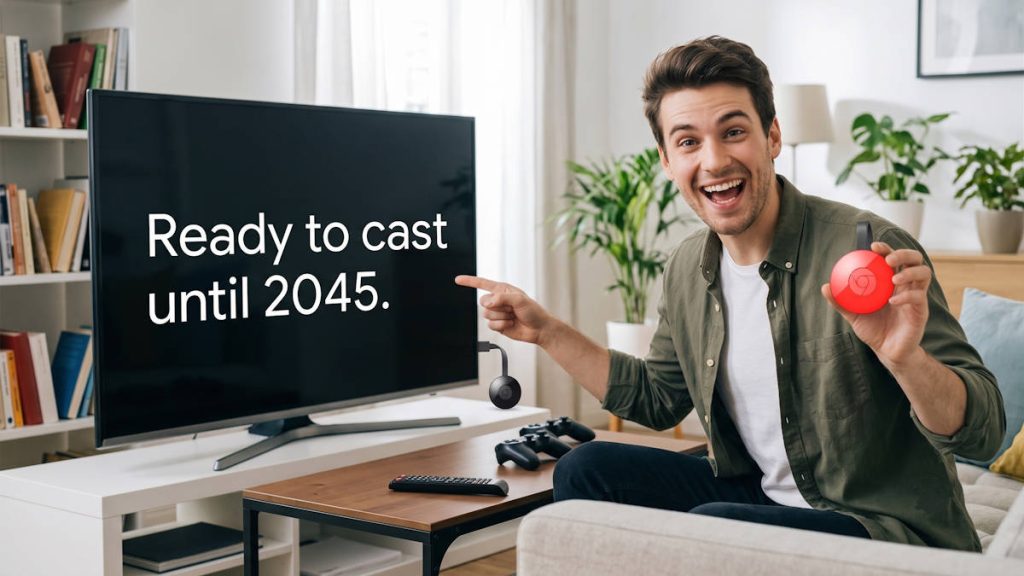
If you search the internet right now to find out why your older Chromecast is glitching, you will likely be hit with a wave of articles and AI summaries claiming that your device is permanently dead. The prevailing rumor in 2026 (amd 2025) is that the 2nd-generation Chromecast (2015) and Chromecast Audio models have suffered from an unpatchable cryptographic failure, rendering them obsolete.

We decided to put this to the test. We pulled our old 2015 Chromecast and Chromecast Audio out of storage, plugged it in, and fired up the network sniffer.

The result? The internet is wrong. All older Chromecast devices still work normally.

If you are experiencing a Chromecast not working error, your device has not been killed by planned obsolescence. In this deep dive, we will explain the March 2025 certificate scare that started these rumors, detail how Google actually fixed it, and give you the technical troubleshooting steps to fix the real reasons your older Chromecast might be dropping its connection today.

Table of Contents hide
1) The March 2025 Certificate Scare Explained
2) The Real Reasons Your Old Chromecast is Failing
2.1) 1. Power Supply Degradation (Brownouts)
2.2) 2. The 2.4 GHz Band Congestion
2.3) 3. Multicast Routing Failures (mDNS)
3) When Should You Actually Upgrade?

The March 2025 Certificate Scare Explained

To understand why everyone thinks old Chromecasts are dead, we have to look back at a very real technical crisis that occurred in March 2025 for the second generation of Chromecast (2015) and some Chromecast Audio devices.

For a brief period, older devices genuinely stopped accepting cast commands from apps like Netflix and YouTube, while basic Chromecast mirroring vs casting (like mirroring a Chrome browser tab) continued to work. The culprit was the Public Key Infrastructure (PKI) and X.509 device certificates.

Every communication over the Google Cast protocol is wrapped in Transport Layer Security (TLS). During the Google Cast TLS handshake, the Chromecast presents a device certificate to your phone to prove it is a genuine Google product. Every X.509 certificate has a strict validity period defined by notBefore and notAfter timestamps.

The mathematical condition for certificate validity is strictly evaluated by your phone’s operating system as:

T_{notBefore} \le T_{current} \le T_{notAfter}

In March 2025, the T_{notAfter} timestamp of the Intermediate Certificate Authority (ICA) certificates embedded in the older hardware finally passed. Because T_{current} > T_{notAfter} , the TLS stack on smartphones rejected the certificate as expired. The connection was terminated before the cast payload could be sent.

Tech news outlets immediately declared the Chromecast end of life had arrived. However, they missed the follow-up: Google silently released an Over-The-Air (OTA) firmware update shortly after that and renewed the certificate chain.

We have verified locally that the 2015 models successfully complete the TLS handshake today. The cryptographic death was a temporary glitch, not a permanent execution. The first generation of Chromecast (2013) has a 20-year device certificate, so it will not have this issue until 2033. Some Chromecast Audio devices originally used the 10-year intermediate certificates, and this was also fixed in the March 2025 update.

Device validation is actually optional for third-party apps. Some apps, e.g., VLC, did not suffer from the casting issue with the Chromecast 2015 even before the firmware update was released..

Google Streamer 4K – Fast Streaming Entertainment with Voice Search Remote, Watch Movies, Shows, Live Channels and Netflix in HDR, Smart Home Control, 32 GB Storage, Porcelain
  • The Google TV Streamer (4K) delivers your favorite entertainment quickly, easily, and personalized to you[1,2]
  • HDMI 2.1 cable required (sold separately)
  • See movies and TV shows from all your services right from your home screen[2]; and find new things to watch with tailored recommendations for everyone in your home based on their interests and viewing habits
  • Watch live TV and access over 800 free channels from Pluto TV, Tubi, and more[3]; if you find an interesting show or movie on your TV, mobile app, or Google search, you can easily add it to your watchlist, so it’s ready when you are[2]
  • Up to 4K HDR with Dolby Vision delivers captivating, true-to-life detail[4]; and you can connect speakers that support Dolby Atmos for more immersive 3D sound
$99.98 Amazon Prime
Buy on Amazon

The Real Reasons Your Old Chromecast is Failing

If the certificates are valid, why is your smartphone still struggling to find your TV? If you are looking to fix old Chromecast hardware in 2026, the problem is almost certainly localized to your physical network or the device’s power supply.

Here are the three most common technical culprits and how to resolve them.

1. Power Supply Degradation (Brownouts)

The most common hardware failure on a decade-old streaming stick isn’t the internal silicon; it is the micro-USB power adapter.

Older Chromecasts require a stable 5V / 1A (or 1.5A) power supply. Over the years of continuous operation, the electrolytic capacitors inside the wall adapter begin to degrade. When the Chromecast attempts to connect to the Wi-Fi network or decode a heavy video stream, it causes a spike in current draw. If the degraded power supply cannot meet this transient demand, the voltage drops (a brownout), causing the SoC to instantly reboot or drop its Wi-Fi radio connection.

  • The Fix: Stop plugging the Chromecast into the USB port on the back of your television (which often outputs an unstable 0.5A). Use a brand-new, high-quality 5V / 2A smartphone charger brick and a fresh USB cable.

2. The 2.4 GHz Band Congestion

The 1st-generation Chromecast (2013) only possesses a 2.4 GHz Wi-Fi radio. The 2.4 GHz spectrum has only 3 non-overlapping channels (1, 6, and 11).

By information theory and the Shannon-Hartley theorem, the maximum data rate of your connection (C) is dependent on the Signal-to-Noise Ratio ([/katex]S/N[/katex]):

C = B \log_2(1 + S/N)

In 2026, the amount of IoT devices (smart bulbs, robot vacuums, microwaves) broadcasting on 2.4 GHz creates a massive noise floor (N). As noise increases, your data capacity plummets. Your Chromecast isn’t broken; it is simply being drowned out by the radio interference of your modern smart home.

  • The Fix: If you have a 2015 model or newer, log into your router and ensure the Chromecast is forced onto the 5 GHz band, which has significantly more channels and less interference. If you have a 2013 model, use a Wi-Fi analyzer app to find the least congested 2.4 GHz channel and manually set your router to use it.

3. Multicast Routing Failures (mDNS)

As we discussed in our guide to built-in casting, the entire Google Cast discovery protocol relies on Multicast DNS (mDNS). The Chromecast broadcasts packets to the specific IPv4 multicast address 224.0.0.251 to announce its presence.

Many modern mesh routers (like Eero or Google Nest Wifi) aggressively manage multicast traffic to save airtime bandwidth. Sometimes, following a router firmware update, the router begins indiscriminately dropping these mDNS packets. When this happens, your phone never sees the broadcast, and the Cast icon disappears.

  • The Fix: Access your router’s administrator panel (usually 192.168.1.1). You need to verify two specific settings:
    1. Disable AP Isolation (or Client Isolation): This setting prevents Wi-Fi devices from talking to each other. It must be turned OFF.
    2. Enable IGMP Snooping: This protocol allows the router to properly forward multicast traffic to the correct devices instead of dropping it. Ensure it is turned ON.
KAGO 4x1 HDMI Switch with Audio Extractor & eARC, 4K@60Hz HDR10, 4 in 1 Out HDMI Switcher with Optical Toslink, RCA L/R & HDMI Audio Out, Supports Dolby Atmos DTS:X, HDCP 2.2 for PS5, Xbox, Apple TV
HDMI Switch 2x1 HDMI Splitter 2 in 1 Out Switcher HDMI Converter with 3.5mm/Optical Audio Extractor Adapter Support 4K30HZ 1080P Full HD for Xbox360 PS4 Roku HDTV Apple TV
KAGO 4x1 HDMI Switch with Audio Extractor & eARC, 4K@60Hz HDR10, 4 in 1 Out HDMI Switcher with Optical Toslink, RCA L/R & HDMI Audio Out, Supports Dolby Atmos DTS:X, HDCP 2.2 for PS5, Xbox, Apple TV
HDMI Switch 2x1 HDMI Splitter 2 in 1 Out Switcher HDMI Converter with 3.5mm/Optical Audio Extractor Adapter Support 4K30HZ 1080P Full HD for Xbox360 PS4 Roku HDTV Apple TV
$64.99
$19.99
-
-
Buy on Amazon
Buy on Amazon
KAGO 4x1 HDMI Switch with Audio Extractor & eARC, 4K@60Hz HDR10, 4 in 1 Out HDMI Switcher with Optical Toslink, RCA L/R & HDMI Audio Out, Supports Dolby Atmos DTS:X, HDCP 2.2 for PS5, Xbox, Apple TV
$64.99
-
Buy on Amazon
HDMI Switch 2x1 HDMI Splitter 2 in 1 Out Switcher HDMI Converter with 3.5mm/Optical Audio Extractor Adapter Support 4K30HZ 1080P Full HD for Xbox360 PS4 Roku HDTV Apple TV
$19.99
-
Buy on Amazon
SkycropHD 4K@60Hz HDMI Switch, 5 in 1 Out HDMI 2.0 Switcher with Remote Support Auto Switch, HDR10, Dolby Vision, Dolby Atmos, 18Gbps, CEC
ROOFULL 5 Port 4K@60Hz HDMI Switch with Optical & 3.5mm AUX Audio Out, 5 in 1 Out HDMI 2.0 Switch Audio Extractor with Remote, Support ARC, HDR 10, HDCP 2.2, 18Gbps, Dolby Vision/Atmos, 3D, 1080P
SkycropHD 4K@60Hz HDMI Switch, 5 in 1 Out HDMI 2.0 Switcher with Remote Support Auto Switch, HDR10, Dolby Vision, Dolby Atmos, 18Gbps, CEC
ROOFULL 5 Port 4K@60Hz HDMI Switch with Optical & 3.5mm AUX Audio Out, 5 in 1 Out HDMI 2.0 Switch Audio Extractor with Remote, Support ARC, HDR 10, HDCP 2.2, 18Gbps, Dolby Vision/Atmos, 3D, 1080P
$35.99
$38.99
-
-
Buy on Amazon
Buy on Amazon
SkycropHD 4K@60Hz HDMI Switch, 5 in 1 Out HDMI 2.0 Switcher with Remote Support Auto Switch, HDR10, Dolby Vision, Dolby Atmos, 18Gbps, CEC
$35.99
-
Buy on Amazon
ROOFULL 5 Port 4K@60Hz HDMI Switch with Optical & 3.5mm AUX Audio Out, 5 in 1 Out HDMI 2.0 Switch Audio Extractor with Remote, Support ARC, HDR 10, HDCP 2.2, 18Gbps, Dolby Vision/Atmos, 3D, 1080P
$38.99
-
Buy on Amazon

When Should You Actually Upgrade?

Your old Chromecast is a resilient piece of engineering, and with a fresh power supply and proper router settings, it will continue to stream your favorite shows just fine. You do not need to buy the best Chromecast replacement just because a blog told you the device is dead.

However, you should consider upgrading to a modern device like the Walmart Onn 4K Pro or a Google TV Streamer if:

  • You recently purchased a 4K HDR television (older Chromecasts max out at 1080p).
  • You want a physical remote control instead of relying on your smartphone.
  • You are experiencing audio-sync issues due to the older processor struggling to decode modern, highly compressed video formats like AV1.
  • You want an Android TV box so that you can install TV apps (e.g., SmartTube).

Until then, ignore the rumors, fix your router settings, and keep casting.

Share this:

  • Share on Facebook (Opens in new window) Facebook
  • Share on LinkedIn (Opens in new window) LinkedIn
  • Share on X (Opens in new window) X
  • Share on Reddit (Opens in new window) Reddit

Filed Under: Chromecast news, Chromecast tips and tricks Tagged With: 1080p, 4K, AP Isolation, AV1 codec, certificate, chromecast, Chromecast 2015, Chromecast Audio, firmware, google cast sdk, Google TV Streamer, mDNS, OTA, PKI, power adpater, SmartTube, VLC, voice remote

Reader Interactions

Leave a ReplyCancel reply

Primary Sidebar

Stop Telling Boring One-Liners. Start Telling Unforgettable Stories

All Over The Map: Funny Stories for Every Place You Go—From 36,000 Feet to the Bedroom
$4.99
Buy on Amazon

Chromecast with Google TV

Chromecast with Google TV (HD) - Streaming Stick Entertainment on Your TV with Voice Search - Watch Movies, Shows, and Live TV in 1080p HD - Snow
Buy on Amazon
Sale Google Pixel 10 - Unlocked Android Smartphone with Gemini, Your Google AI Assistant - Advanced Triple Rear Camera, Fast-Charging 24+ Hour Battery, and 6.3' Actua Display - Frost - 128 GB
Google Pixel 10 - Unlocked Android Smartphone with Gemini, Your Google AI Assistant - Advanced Triple Rear Camera, Fast-Charging 24+ Hour Battery, and 6.3" Actua Display - Frost - 128 GB
Amazon Prime
$599.00
Buy on Amazon

RSS Galaxy S25 Guides

  • All New Features of One UI 8 (Android 16) Update for Galaxy S25, S24, S23, and S22
  • One UI 8 Update Highlights for Galaxy S25, S24, S23, and S22
  • How to manage camera modes on Galaxy S25 (and Galaxy S24, S23, S22, and S21 with One UI 7 update)?
  • How to Use Galaxy S25 Camera App?
  • A Definite Guide to Galaxy S25 Flipsuit Case
  • How to Access and Customize Now Brief on Galaxy S25?
  • Meaning of Galaxy S25 Status Icons and Notification Icons
  • Layout of Galaxy S25, S25+, and S25 Ultra
  • New Galaxy AI features in Galaxy S25, S25+, and S25 Ultra
  • Top 10 new features of Galaxy S25, S25+, and S25 Ultra

RSS Galaxy S24 Guides

  • The definitive guide to One UI 7 (Android 15) update for Galaxy S24, S23, S22, and S21
  • The Definitive Guide to Galaxy AI on Galaxy S24, S23, S22, Fold 6, Fold 5, Flip 6, and Flip 5
  • Use the Light Performance Profile to Extend Battery Life and Reduce Heat on Galaxy S24, S23, S22, and S21 (all Samsung Galaxy Phones with Android 14/One UI 6.0)
  • How to adjust lock screen timeout on Galaxy S24, S23, S22, and other Galaxy devices?
  • How to use Circle to Search on Galaxy S24?
  • Meaning of Galaxy S24 status icons and notification icons on Galaxy S24, S24+, and S24 Ultra

RSS Galaxy S23 Guides

  • Explanation of all One UI 6.1 features for Galaxy S23, S23+, S23 Ultra, and other Galaxy devices
  • How to use One-Tap Editing in the Android 14 (One UI 6) update?
  • How to enable and use Auto Scan to scan documents automatically on Galaxy S23, S22, and S21?
  • New camera features in One UI 6 (Android 14) update for Galaxy S23, S22, and S21
  • Galaxy S23 User Manual in American English with Android 14 (One UI 6) Update
  • Galaxy S23 User Manual in British English with Android 14 (One UI 6) update

RSS Galaxy S22 Guides

  • A Complete Guide for Android 14 (One UI 6) Update on Samsung Galaxy Devices
  • How to touch and hold to customize Lock Screen on Galaxy S22, S21, and S20 with the Android 13 update?
  • How to use Maintenance Mode on Galaxy S23, S22, S21, and S20 with Android 13 (One UI 5)?
  • How to extract text from photos and images on Galaxy S22, S21, and S20?

Chromecast Tips and Tricks

RSS Galaxy S21 Guides

  • Top 12 new features in Android 12 update for Galaxy S21, S20 and S10
  • Android 12 update vs One UI 4.0 vs One UI 4.1: update Galaxy S21, S20 and S10 to Android 12
  • How to set and resize photo size on Samsung Galaxy S21, S20, S10, and S9 without using any third-party apps?
  • How to Customize Galaxy S21 Home Screen?

RSS Headphone Guides

  • Bose Ultra Open Earbuds vs. Shokz OpenFit 2+: The Battle of the Beams
  • Understand The Physics of Open-Ear Directional Audio
  • Bone Conduction Headphones Buyer’s Guide: 2026 Edition
  • Bone Conduction Audio Technology: A Technical Breakdown
  • Science And Architecture of Bluetooth Auracast
  • Bluetooth LE Audio and the LC3 Codec: A Technical Deep Dive
  • The Physics and Engineering of Super Wide Band (SWB) Voice
  • True Wireless Stereo (TWS) Explained

RSS Moto G Guide

  • Stylus features on Moto G Stylus (all models)
  • What’s new in Moto G 2024? Moto G 5G 2024 vs Moto G Power 2024 vs Moto G Play 2024
  • Understand Moto G Model Names
  • Thank You
  • Moto G8 vs Moto G8 Power vs Moto G8 Power Lite vs Moto G Power vs Moto G Stylus vs Moto G Pro vs Moto G fast: What are the differences?
  • Moto G8 User Manual for Moto G8 Plus and Moto G8 Play

RSS Neato XV Guides

  • Neato XV Revival Guide: Repair, Hack & Restore (The 2026-2027 Edition)
  • The Scavenger’s Guide: How to Buy “Broken” Neato XVs for $20 (And Fix Them)
  • 3D Print Your Own Spare Parts: The Neato XV STL Guide
  • Stop Guessing: How to Use NeatoControl to “X-Ray” Your Robot
  • The Forbidden Upgrade: Neato Firmware Update to Vorwerk VR100 (Offline Guide)
  • The Vault: Neato XV & Vorwerk VR100 Software Repository
  • Neato Charging Station Blinking Green? The $2 C10 Capacitor Fix
  • Neato Error 3000 Fix: Lidar Motor & Belt Replacement Guide (XV-21, XV-15, XV-13, XV-11)
  • The Battery Dilemma: How to Double Your Neato XV’s Runtime (NiMH vs. Lithium)?
  • Why the “Ancient” Neato XV is Better Than Modern Robots (In 2025 and 2026)

RSS Moto E Guide

  • How to use SIM cards on Moto E6, E6 Plus, E6 Play, and E6s 2020?
  • How to remove Moto E6 back cover (including Moto E6, Moto E6 Plus, Moto E6 Play)?
  • How to use alarm and customize alarm tones on Moto E, Moto G and Moto X?
  • How to move apps to SD card in Moto E?

RSS Amazon Fire Tablet Guides

  • Fire Tablet Buyer’s Guide 2025
  • How to use Writing Assist on Fire Tablet?
  • How to use Wallpaper Creator on your Fire tablet?
  • How to Use Webpage Summaries on Your Fire Tablet?
  • What’s new in Fire HD 8 2024 (12th Gen)?

Footer

RSS Drive In Singapore

  • Singapore ERP (Electronic Road Pricing): 6 Facts You Need to Know
  • Car Insurance in Singapore Explained
  • Top 5 rules of driving in Singapore safely and legally during COVID-19 Circuit Breaker period
  • Understand COE Price by 10 Simple Questions
  • How to convert a foreign driving license to a Singapore driving license?
  • How to get a Touch ‘n Go card as a Singapore driver?
  • What is covered in the car warranty in Singapore? What is not?
  • What is the Singapore Road Speed Limit?

RSS Galaxy S10 Guides

  • End of security update for Galaxy S10, S10+ and S10e
  • Top 10 new features in Android 10 update for Galaxy S10
  • Top 5 new features added in Galaxy S10 September Update
  • How to move apps to the micro SD card to free phone storage on Galaxy S10 ?
  • Galaxy S10 wireless charging guide

RSS Samsung Galaxy S5 Guide

  • How to enter Galaxy S5 recovery mode?
  • How to set Galaxy S5 photo size and video size?
  • How to use Galaxy S5 camera voice control?

RSS Moto X Guide

  • Welcome on board, Motorola Razr!
  • Official Moto X4 User manual (User guide for Moto X 4th Gen , Moto X 2017)
  • What’s new in Android Marshmallow update for Moto X (Moto X 2015, Moto X 2014, Moto X Style and Moto X Pure edition)?

RSS Chinese Music World

  • How to Cast Chinese Music Radio to Chromecast or Google Home?
  • 十面埋伏 (Ambushed,Pipa,琵琶曲,Shi Mian Mai Fu)
  • Meet in Yurt(敖包相会, Ao Bao Xiang Hui,Folk song,民歌)
  • Purple Bamboo Melody(紫竹调, Zi Zhu Diao,Yangqin,扬琴)
  • Solitary Orchid (幽兰, You Lan, Guqin, 古琴)

RSS Galaxy S20 Guides

  • The End of the Road: No Android 14 Update for the Galaxy S20
  • How to Use Enhanced Processing on Galaxy S20 with Android 11 update?
  • How to access, use, and customise widgets on Galaxy S20 lock screen and AOD screen with Android 11 update for Galaxy S20?
  • How to update Galaxy S20 to Android 11?
  • How to use Galaxy S20 lockdown mode?
  • Top 11 new features in Galaxy S20 Android 11 update
  • How to use Galaxy S20 recovery mode?

RSS Google Home Speaker

  • How to Use Quick Gestures on Nest Hub 2nd Gen and Nest Hub Max?
  • Understand the layout of Nest Hub (including Nest Hub 2nd Gen, Google Home Hub)
  • How to control Nest Audio?
  • Nest Audio Guides
  • Layout of Google Nest Mini (Google Home Mini 2nd Gen)
  • How to connect Google Home to a Bluetooth speaker?

© 2013–2026 · All About Chromecast: The best Chromecast guide, tips and tricks for Chromecast, Chromecast Ultra, and Chromecast Audio. · Hosted by PTRHosting
· Powered by Genesis framework for WordPress

Disclaimer: Chrome, Chromecast, Chromecast Ultra, and Chromecast Audio are trademarks of Google Inc. This website is NOT affiliated with Google Inc in any way. All the information provided on this website is provided on an "as is" and "as available" basis and you agree that you use such information entirely at your own risk.

Add All About Chromecast to your Homescreen!

Add
We use cookies to give you the best online experience. By using our website you agree to our use of cookies in accordance with our cookie policy.
pixel
